Step 1) – Drivers must download the Mobile App - 'Telematics Guru'


Step 2) – Login with previously created Driver/User details
Step 3) – On the asset list…
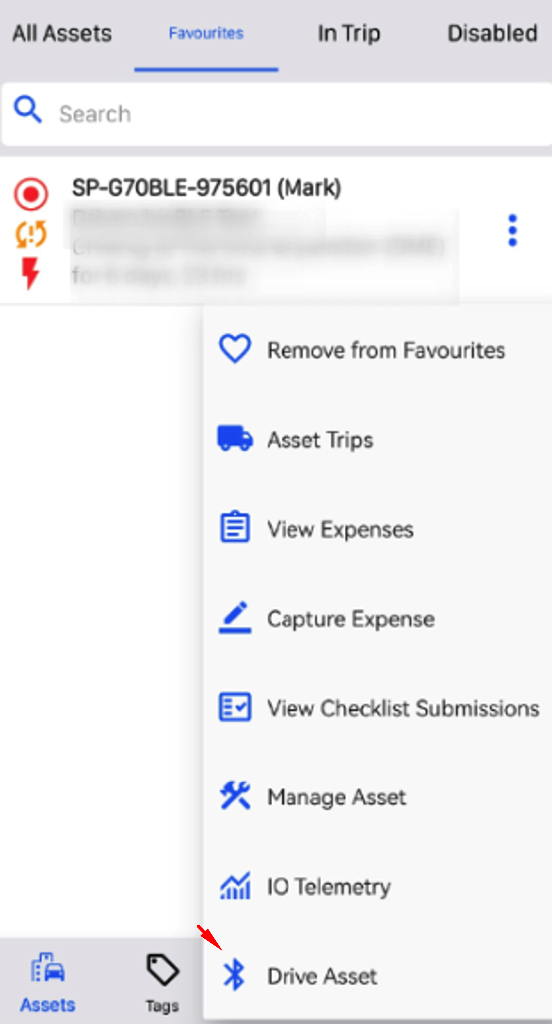
- Long press or press the 3 dots icon of the asset you wish to log into and select Drive Asset in the pop-up menu.
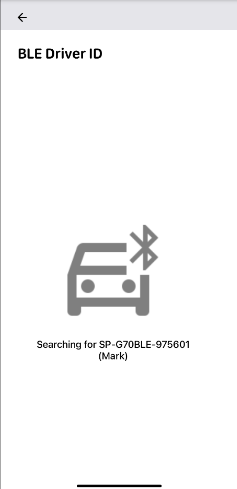
- The app will then scan for your asset and attempt to log in should it be found.
Step 4) – (If Applicable) Complete Checklist
- Complete your checklist as normal.
- Provided that your checklist was configured as described above, you will select as an asset, and at the final step (Review or Submit page), a new button should appear, Submit & Drive with BLE Driver ID.
- This button will take you to the same BLE Driver ID page, which will scan for your device and attempt to log in should it be found.
Status Indication
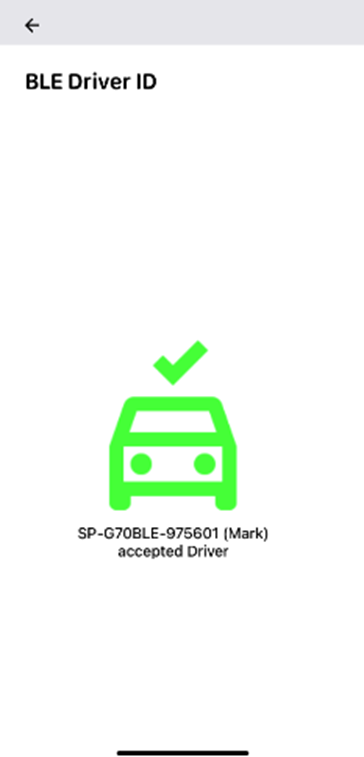
- Success is indicated by a green icon of a car with a tick, as well as a message"(asset name) accepted Driver".
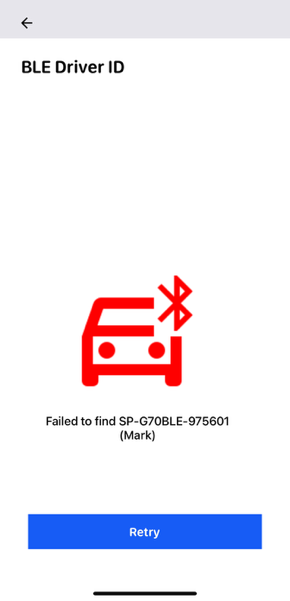
- In the event it is not found, or an error occurs, a retry button will appear.
- If the connection is unsuccessful (due to lack of authorization incorrect permissions, etc.), the app will; indicate a failure and show a red icon- and will not trigger an automatic retry.
- Should the app show unexpected behaviour (stuck during connection, not retrying, etc.) a manual reset can be accomplished by pressing the back button and starting again.
Need Help?
Reach out to our support team –
1300 672 072
Was this article helpful?
That’s Great!
Thank you for your feedback
Sorry! We couldn't be helpful
Thank you for your feedback
Feedback sent
We appreciate your effort and will try to fix the article